PCMag editors select and review products independently. If you buy through affiliate links, we may earn commissions, which help support our testing.

Google Rolls Out Energy and Memory Saver Modes for Chrome Browser

The optional features are rolling out on Windows, macOS, and ChromeOS.

 & Michael Kan Principal Reporter

Our team tests, rates, and reviews more than 1,500 products each year to help you make better buying decisions and get more from technology.

Our Expert
LOOK INSIDE PC LABS HOW WE TEST
65 EXPERTS
43 YEARS
41,500+ REVIEWS

The Chrome browser is a notorious memory and battery hog, but Google is adding two new performance settings intended to stop the software from consuming too many PC resources.

The company today introduced memory and energy saving modes for Chrome, which are rolling out now via the “m108” release.

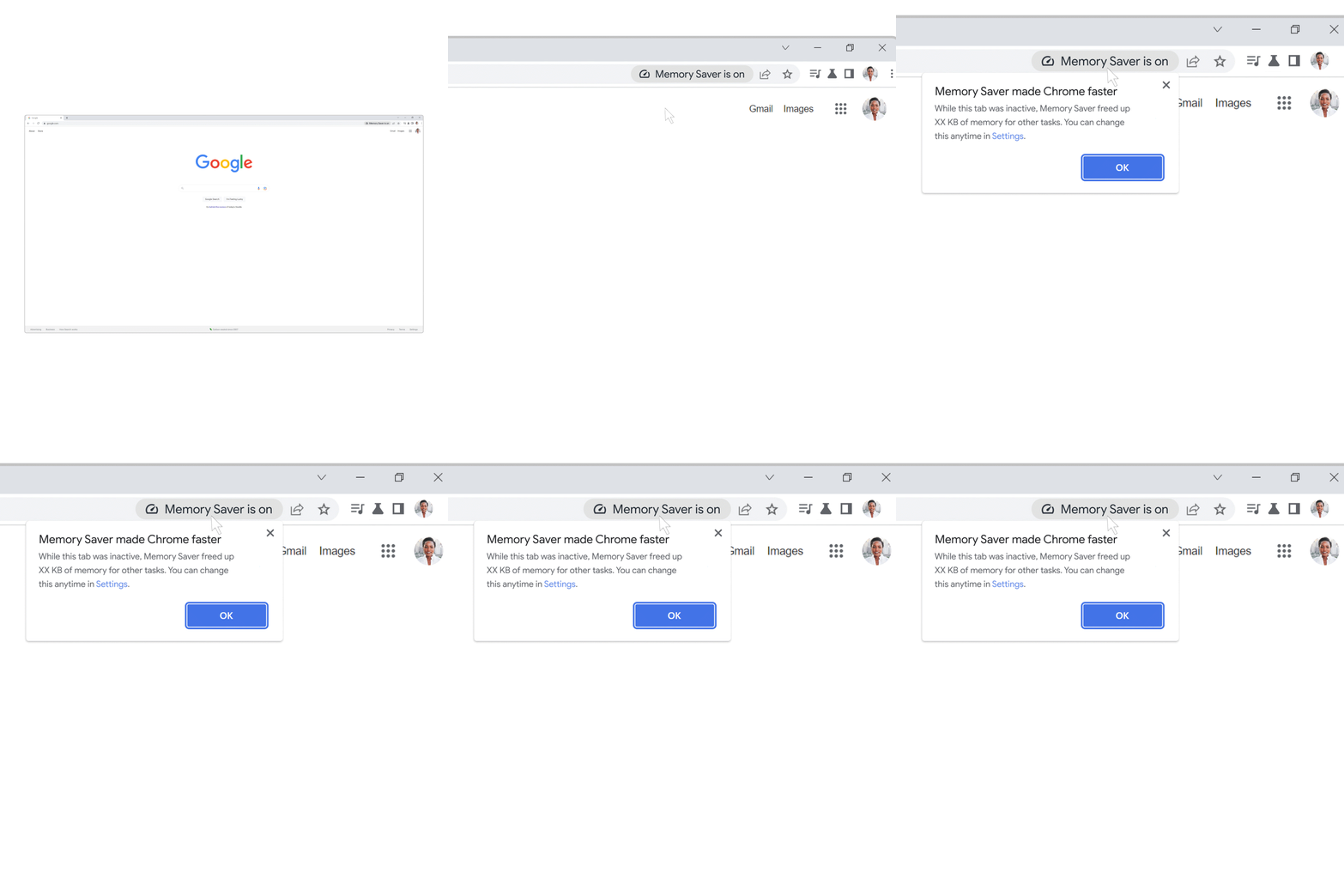
According to Google, the memory saving mode can reduce the browser's memory use by as much as 30%. It promises to be particularly useful when you have numerous tabs open in a browser window, which can stress a computer's RAM.  
Google gif1

“Memory Saver mode frees up memory from tabs you aren’t currently using so the active websites you’re browsing have the smoothest possible experience,” the company wrote in a blog post. “Any inactive tabs will be reloaded when you need them.”

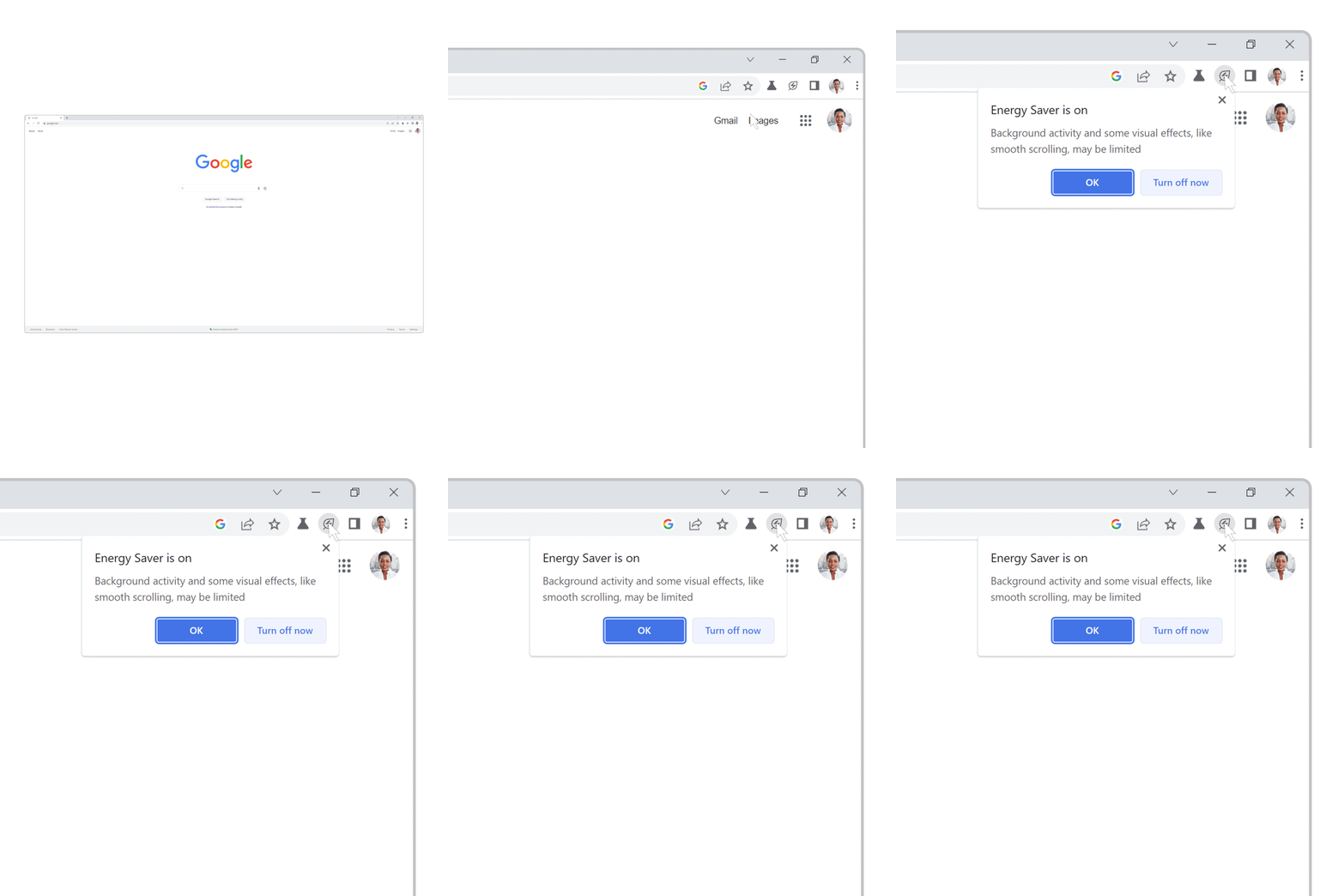
Meanwhile, energy saving mode can be activated when your laptop’s battery level reaches 20%. It will then proceed to cut down on background processes for Chrome and limit visual effects from websites, such as animations and videos. 
Google gif2

Both performance modes can be turned on by visiting the three-dot menu in the top-right corner of the browser selecting Settings. You’ll then find a new section labeled "Performance," where the modes can be activated. 

 “When these tools roll out to you, you'll be able to turn off either feature or mark your most important websites exempt from Memory Saver,” the company added. 

Google says it’ll roll out the new memory and energy saving modes “over the next several weeks globally for Windows, macOS, and ChromeOS.” But for now, the company is refraining from bringing the feature to iOS and Android.

About Our Expert

Michael Kan

Michael Kan

Principal Reporter

My Experience

I've been a journalist for over 15 years. I got my start as a schools and cities reporter in Kansas City and joined PCMag in 2017, where I cover satellite internet services, cybersecurity, PC hardware, and more. I'm currently based in San Francisco, but previously spent over five years in China, covering the country's technology sector.

Since 2020, I've covered the launch and explosive growth of SpaceX's Starlink satellite internet service, writing 600+ stories on availability and feature launches, but also the regulatory battles over the expansion of satellite constellations, fights with rival providers like AST SpaceMobile and Amazon, and the effort to expand into satellite-based mobile service. I've combed through FCC filings for the latest news and driven to remote corners of California to test Starlink's cellular service.

I also cover cyber threats, from ransomware gangs to the emergence of AI-based malware. In 2024 and 2025, the FTC forced Avast to pay consumers $16.5 million for secretly harvesting and selling their personal information to third-party clients, as revealed in my joint investigation with Motherboard.

I also cover the PC graphics card market. Pandemic-era shortages led me to camp out in front of a Best Buy to get an RTX 3000. I'm now following how the AI-driven memory shortage is impacting the entire consumer electronics market. I'm always eager to learn more, so please jump in the comments with feedback and send me tips.

The Best Tech I've Had:

  • My first video game console: a Nintendo Famicom
  • I loved my Sega Saturn despite PlayStation's popularity.
  • The iPod Video I received as a gift in college
  • Xbox 360 FTW
  • The Galaxy Nexus was the first smartphone I was proud to own.
  • The PC desktop I built in 2013, which still works to this day.

Read full bio